We’ve all been there: you’re mid-jog or deep into a focused gym session when your phone starts buzzing. It’s an important call. You reach for your ears, pausing for a split second of tech-induced anxiety—can they hear me, or am I about to shout at my phone like a crazy person? In the modern world of TWS (True Wireless Stereo) technology, the line between “headphones” and “communication hubs” has blurred. While almost every premium pair of buds today is designed for two-way audio, not all hardware is created equal. Whether you’re troubleshooting an old pair or making sure your new gear is work-from-home ready, the question “how do i know if my earbuds have a microphone” is more common than you’d think.
Let’s dive into the foolproof ways to identify that tiny piece of tech and why it matters for your lifestyle.
The Physical Inspection: Hunting for the Port
The most direct way to answer the question is to look at the hardware itself. Unlike the bulky boom mics on gaming headsets, TWS microphones are masterpieces of miniaturization.
Locate the Pinholes
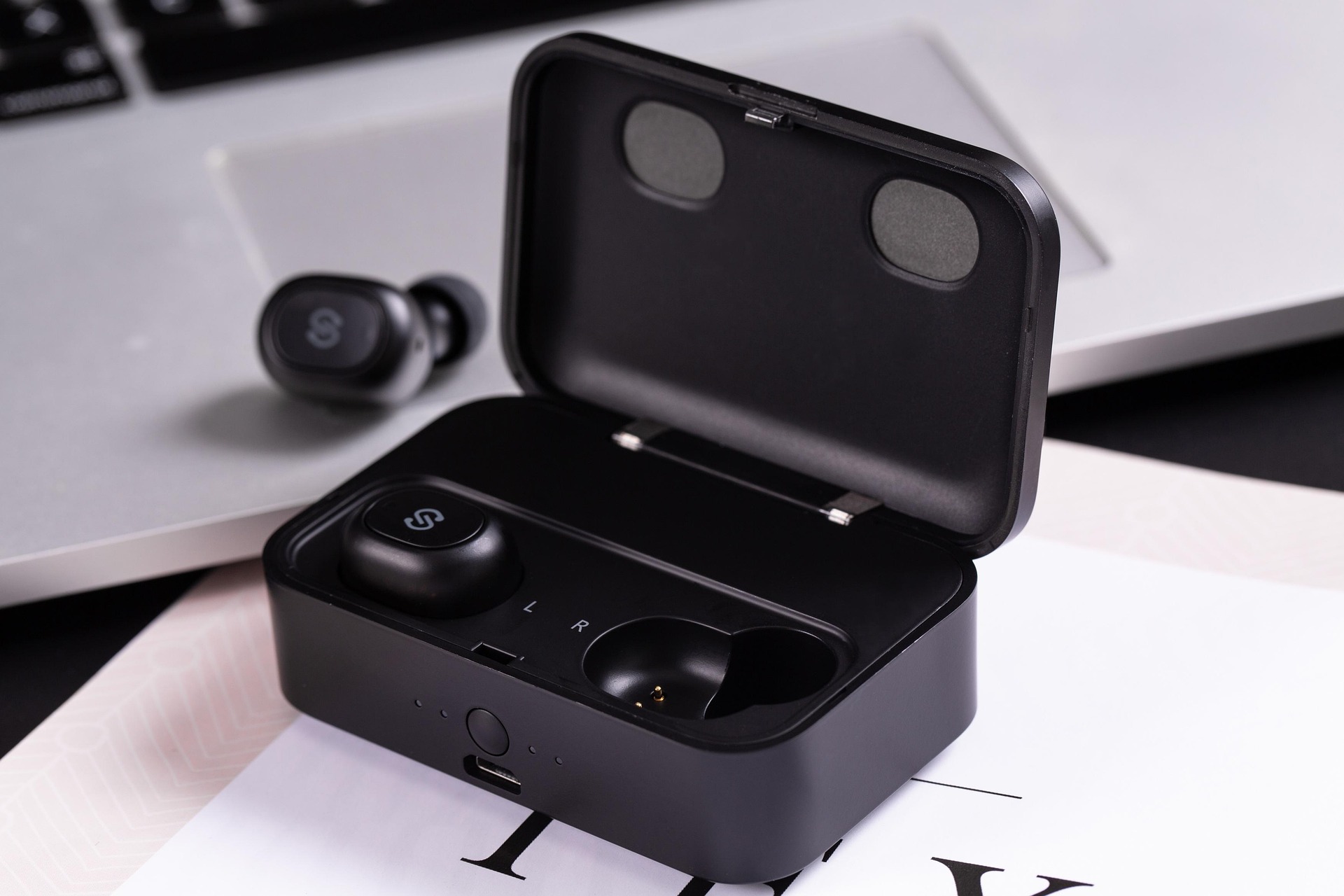
Hold your earbuds up to a bright light. You are looking for a tiny, circular pinhole—usually no larger than the tip of a needle. On Jesebang models, these are strategically placed to capture your voice while minimizing wind interference. Most modern earbuds actually have multiple holes:
- The Voice Mic: Usually located at the bottom of the earbud (closer to your mouth).
- The ENC/ANC Mic: Often located on the outer shell to pick up and cancel environmental noise.
Check the Charging Contacts
If you see gold-plated dots on the inner side of the earbud, those are for charging. However, if you see a mesh-covered slit near the “stem” or the main body, that is almost certainly a microphone housing. If your device is completely seamless with no openings at all, it might be a budget, “listen-only” model—though these are becoming increasingly rare.
How Do I Know if My Earbuds Have a Microphone Using Software?
Sometimes the hardware is so sleek it’s hard to tell. In that case, let your operating system do the detective work for you. This is the most definitive way to confirm functionality.
On a Smartphone (iOS or Android)
The quickest test is to open your Voice Memos or Recorder app.
- Connect your earbuds via Bluetooth.
- Start a recording and whisper quietly.
- Move the phone to another room while still wearing the buds.
- Play it back. If the audio is clear and consistent, you’ve found your mic.
On a Computer (Windows or Mac)
Go to your Sound Settings. Under the “Input” section, look for the name of your device. If your computer recognizes “Jesebang Audio – Hands-Free AG,” the microphone driver is active. If you only see “Stereo” as an output option with no corresponding input, the device lacks a microphone or the driver is improperly installed.
Understanding the “Hands-Free” Reality
When asking “how do i know if my earbuds have a microphone,” it’s helpful to understand the technology behind it. Most TWS earbuds use MEMS (Micro-Electro-Mechanical Systems) microphones. These are microscopic chips that convert sound into electrical signals.
At Jesebang, we don’t just “include” a microphone; we optimize it for the active user. If you are a runner or a heavy lifter, a standard mic isn’t enough. You need ENC (Environmental Noise Cancellation). This technology uses a dual-microphone array to distinguish between the sound of your voice and the roar of a treadmill or the wind whistling past you during a sprint.
Troubleshooting: Why Can’t They Hear Me?
If you’ve confirmed your earbuds should have a microphone but people are complaining they can’t hear you, it’s rarely a hardware failure. Here are three pro-tips to fix it:
1. Check for Debris
This is the #1 cause of “broken” mics. Sweat, earwax, and dust can clog that tiny pinhole. Use a soft-bristled toothbrush or a specialized cleaning tool to gently clear the mesh. Never stick a needle or toothpick into the hole, as you can puncture the delicate microphone membrane.
2. Permission Settings
On modern smartphones, apps like Zoom, Teams, or even WhatsApp require explicit permission to use the microphone. Check your privacy settings to ensure the app isn’t “muting” your hardware at the software level.
3. The “Mono Mode” Conflict
Some earbuds only have a primary microphone in the right earbud. If you’re only wearing the left one, you might be talking into a “dead” bud. Jesebang’s latest line features independent mics in both, allowing you to go “solo” with whichever ear you prefer.
Why Jesebang is the Choice for Clear Communication
If you’ve gone through these steps and realized your current gear is lacking, it might be time for an upgrade. Knowing “how do i know if my earbuds have a microphone” is the first step; the second is ensuring that microphone actually performs when you’re pushing your limits.
Jesebang earbuds are engineered with the fitness-audio lifestyle in mind. Our integrated microphones are protected by an IP7 waterproof rating, meaning sweat won’t corrode the internal sensors. We combine high-fidelity audio output with crystal-clear voice input, ensuring that whether you’re crushing a PR or taking a business call on the trail, you never have to choose between sound quality and connectivity.
Upgrade to a pair that speaks as well as it sings—because your gear should never leave you guessing.